
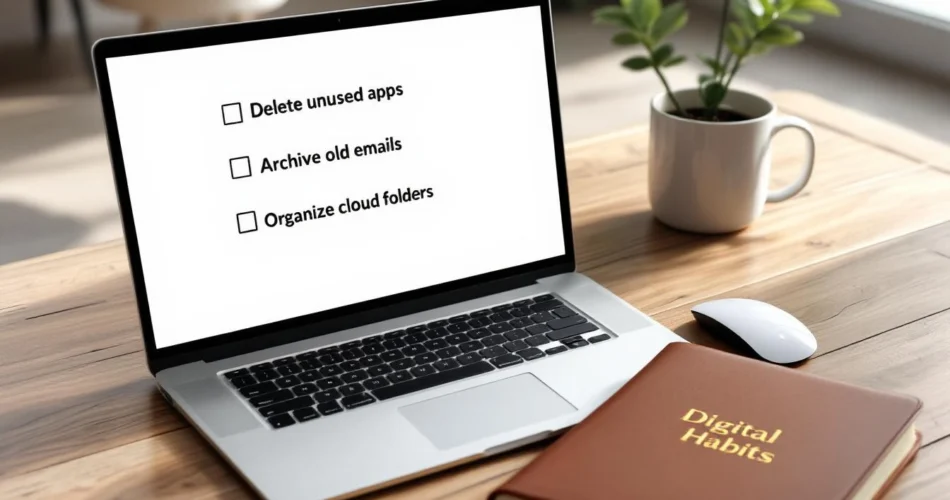
Constant notifications, overflowing inboxes, and cluttered devices can quietly drain your focus. If you feel stressed every time you unlock your phone or open your laptop, it’s a sign you need a digital declutter. Just like tidying your physical space, clearing your digital environment creates room to think, work, and relax. This digital declutter checklist gives you a simple, structured way to clean up your digital life without feeling overwhelmed. By the end, you’ll know exactly what to delete, organize, and automate for better productivity, stronger focus, and lasting peace of mind.
Table of Contents
- What Is a Digital Declutter and Why It Matters
- Preparing for Your Digital Declutter Checklist
- Device-by-Device Digital Declutter Checklist
- Maintaining a Clutter-Free Digital Life
- Tools and Resources to Support Digital Decluttering
What Is a Digital Declutter and Why It Matters
Defining Digital Declutter
A digital declutter is the process of intentionally organizing, reducing, and managing your digital assets. This includes files, apps, emails, cloud storage, passwords, and even notifications. Unlike a one-time cleanup, digital decluttering focuses on creating systems that make your digital life easier to maintain.
Benefits of a Digital Declutter Checklist
Using a checklist removes guesswork. You’ll experience:
- Improved productivity and faster device performance
- Reduced stress and fewer distractions
- Better digital security and data management
Signs You Need a Digital Declutter
If your desktop is full of random files, you can’t find documents quickly, or notifications constantly interrupt you, it’s time. These are classic signs of digital overload that signal the need for a reset.
Preparing for Your Digital Declutter Checklist
Set Clear Goals for Your Digital Declutter
Decide what matters most. Are you decluttering for work efficiency, personal clarity, or both? Clear goals help you avoid unnecessary decisions and stay focused.
Schedule Time and Create Boundaries
Block dedicated time and silence notifications. Even 30–60 focused minutes can make a huge difference when following a structured digital declutter checklist.
Back Up Before You Declutter
Always protect your data. Use cloud or external backups before deleting anything important. Google provides a helpful backup guide to get started safely.
Device-by-Device Digital Declutter Checklist
Smartphone Digital Declutter
Your phone is often the biggest source of digital noise.
- Delete unused apps
- Organize apps into folders
- Clear old photos and screenshots
- Disable non-essential notifications
For deeper guidance, see these smartphone organization tips.
Computer and Laptop Declutter
Start with your desktop and downloads folder. Create clear folder structures, archive old projects, and uninstall programs you no longer use. A clean computer supports better workflow and faster search.
Cloud Storage and Email Inbox
Adopt folder structures that mirror your priorities and use filters to auto-sort emails. The Inbox Zero method is a proven way to reduce email stress and stay organized.
Maintaining a Clutter-Free Digital Life
Create Digital Declutter Habits
Schedule weekly mini-reviews and monthly deep checks. Consistency keeps clutter from piling up again.
Set Rules for New Digital Content
Before downloading a new app or saving a file, ask if it serves a purpose. Use clear naming conventions and limit subscriptions.
Automate Where Possible
Automation saves time and effort. Use rules, filters, and clean-up tools. Explore productivity automation tools to simplify maintenance.
Tools and Resources to Support Digital Decluttering
Apps and Software for Digital Declutter
Duplicate file finders, storage analyzers, and system cleaners can speed up your digital declutter process.
Cloud and Password Management Tools
Password managers and secure cloud platforms help you stay organized while protecting sensitive data.
Learning Resources and Guides
For mindset and strategy, explore Digital Minimalism by Cal Newport to deepen your understanding of intentional tech use.
Frequently Asked Questions
What is the best way to start a digital declutter?
Start small with one device or category. A checklist keeps the process manageable and prevents overwhelm.
How often should I follow a digital declutter checklist?
A full digital declutter every 3–6 months works well, supported by weekly maintenance habits.
Can a digital declutter really improve productivity?
Yes. Fewer distractions and faster access to information directly improve focus and efficiency.
Is digital decluttering safe for important files?
It is when you back up your data first and declutter intentionally.
How long does a digital declutter take?
It depends on volume, but most people see results within a few focused sessions.
Conclusion
A structured digital declutter checklist helps you take control of your digital environment instead of letting it control you. By starting small, staying consistent, and using the right tools, you can enjoy long-term clarity, efficiency, and peace of mind. Begin your digital declutter today—your future, more focused self will thank you.