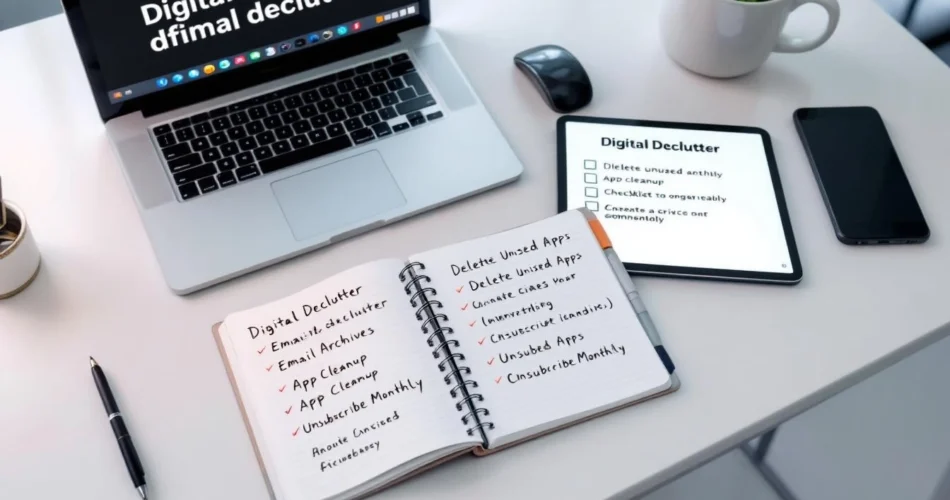
If your inbox feels endless, your desktop is packed with random files, and notifications never stop buzzing, you’re not alone. Modern life practically invites digital chaos. That’s where digital declutter tips come in. A digital declutter is about intentionally organizing and simplifying your digital world so technology supports your life instead of overwhelming it. In this guide, you’ll learn practical, realistic ways to reduce digital clutter, organize digital files, and build habits that keep your devices clean long-term—without spending hours glued to a screen.
Table of Contents
- What Is a Digital Declutter and Why It Matters
- Digital Declutter Tips for Files and Folders
- Digital Declutter Tips for Email and Communication
- Decluttering Apps, Devices, and Notifications
- Building Sustainable Digital Declutter Habits
What Is a Digital Declutter and Why It Matters
Definition of a Digital Declutter
A digital declutter is the process of reviewing, organizing, and simplifying everything you store or interact with digitally—files, folders, emails, apps, cloud storage, and even notifications. Unlike a one-time cleanup, it encourages mindful digital use.
Benefits of Digital Decluttering
Reducing digital clutter improves focus, saves time, and lowers stress. Research shows constant digital distractions can hurt productivity and cognitive performance (Harvard Business Review). A cleaner digital space supports clearer thinking.
When You Know It’s Time to Declutter
- You can’t find important files quickly
- Your inbox causes anxiety
- Unused apps slow your devices
Digital Declutter Tips for Files and Folders
Organizing Files with a Simple Folder System
Create a logical hierarchy with clear naming conventions. Use broad categories first (Work, Personal, Finance), then specific subfolders. Keep names consistent and searchable. For deeper guidance, see File Management Best Practices.
Deleting, Archiving, and Backing Up Safely
Delete duplicates and outdated files, archive what you rarely need, and back up essentials using an external drive or cloud service. This balance helps reduce digital clutter without fear of losing data.
Managing Cloud Storage Efficiently
Audit cloud storage regularly, remove duplicates, and disable automatic syncing for unnecessary folders. Keep sharing settings tight to prevent chaos.

Digital Declutter Tips for Email and Communication
Cleaning Up Your Inbox Fast
Search by sender or date, bulk delete promotional emails, and unsubscribe aggressively. Aim for clarity, not perfection—Inbox Zero is a tool, not a rule.
Creating Folders, Labels, and Rules
Automate sorting with rules and labels so emails land where they belong. Gmail’s tools can help (Gmail Help Center).
Setting Email Boundaries
Turn off non-essential notifications and set expectations for response times. This simple digital declutter tip protects your focus.
Decluttering Apps, Devices, and Notifications
Removing Unused Apps and Software
Audit your devices quarterly. If you haven’t used an app in 30–60 days, consider removing it. Fewer apps mean fewer distractions.
Streamlining Notifications
Allow alerts only for apps that truly need immediate attention. Everything else can wait.
Organizing Home Screens and Device Layouts
Group apps by function and keep only essentials on your home screen. For more ideas, explore Smartphone Productivity Tips.
Building Sustainable Digital Declutter Habits
Setting a Digital Declutter Routine
Spend 5 minutes daily on quick cleanups, 15 minutes weekly on reviews, and a deeper monthly reset.
Using Tools to Maintain a Digital Declutter
Task managers, password managers, and trusted cleaner apps help maintain order. For inspiration, see Cal Newport’s work on Digital Minimalism.
Preventing Future Digital Clutter
Be intentional with downloads, sign-ups, and subscriptions. Mindful consumption is the ultimate decluttering strategy.
Frequently Asked Questions
What is the best way to start a digital declutter?
Start small—choose one folder, app, or inbox. Quick wins build momentum.
How often should I use digital declutter tips?
Light maintenance weekly and deeper cleanups monthly work well.
Are there tools that help automate a digital declutter?
Yes, email rules, cloud cleanup tools, and device analytics can automate much of the work.
Can digital decluttering really improve productivity?
Absolutely. Less clutter means fewer distractions and faster access to what matters.
Does a digital declutter apply to work files too?
Yes, professional files often benefit the most from clear organization.
Conclusion
Applying these digital declutter tips consistently can transform how you work, focus, and feel throughout the day. You don’t need perfection—just progress. Start with one small step today, build sustainable habits, and let your digital life support your real one. Now’s the perfect time to begin your digital declutter and reclaim your attention.